
Notepad++ launches version 8.6: 20th-Year Anniversary with Multi-Line Editing
What is Notepad++
Notepad++ is an open-source text and source code editor that is free to use on Microsoft Windows. It features tabbed editing, which enables you to work on several open files within a single window. The name of the product is derived from the C postfix increment operator and it is occasionally referred to as npp or NPP. Its use is governed by GNU General Public License.
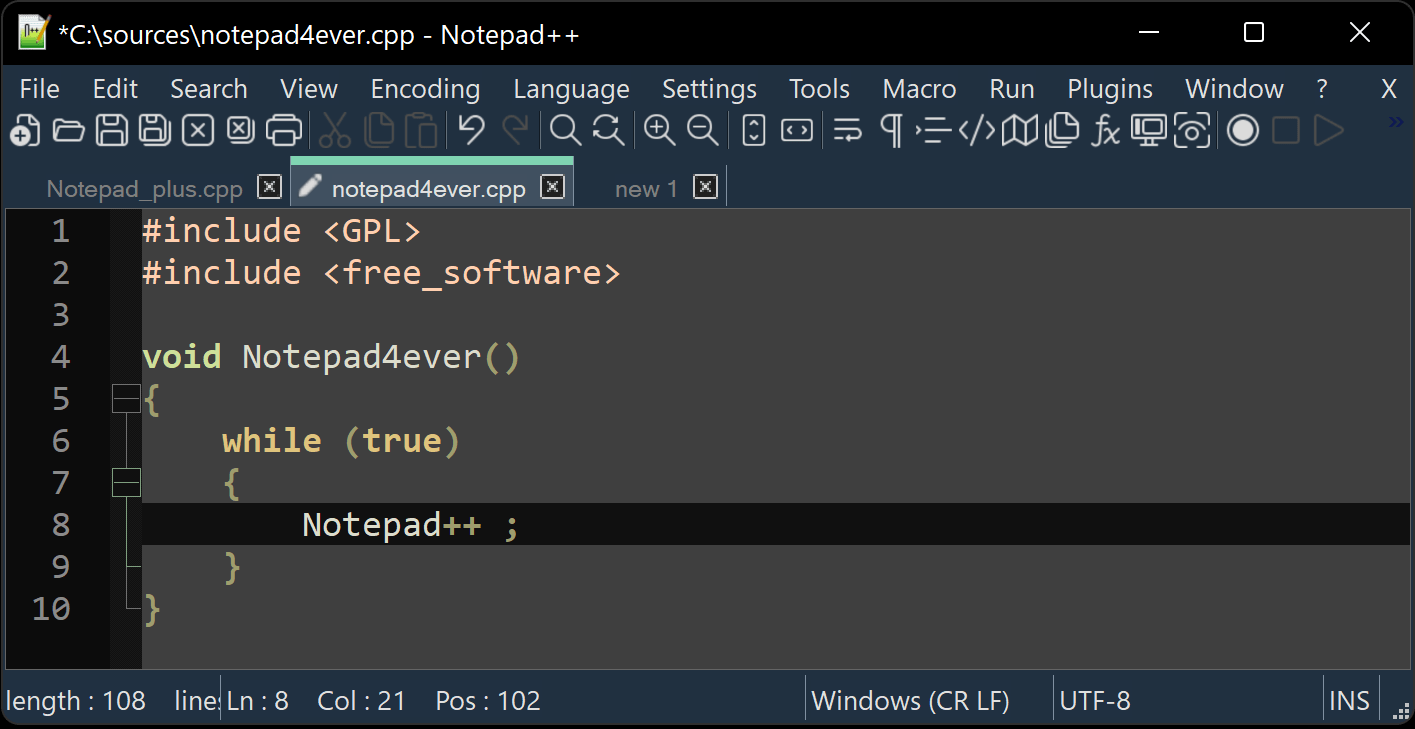
Based on the powerful editing component Scintilla, Notepad++ is written in C++ and uses pure Win32 API and STL which ensures a higher execution speed and smaller program size. By optimizing as many routines as possible without losing user friendliness, Notepad++ is trying to reduce the world’s carbon dioxide emissions. When using less CPU power, the PC can throttle down and reduce power consumption, resulting in a greener environment.
Notepad++ Multi-edit Feature
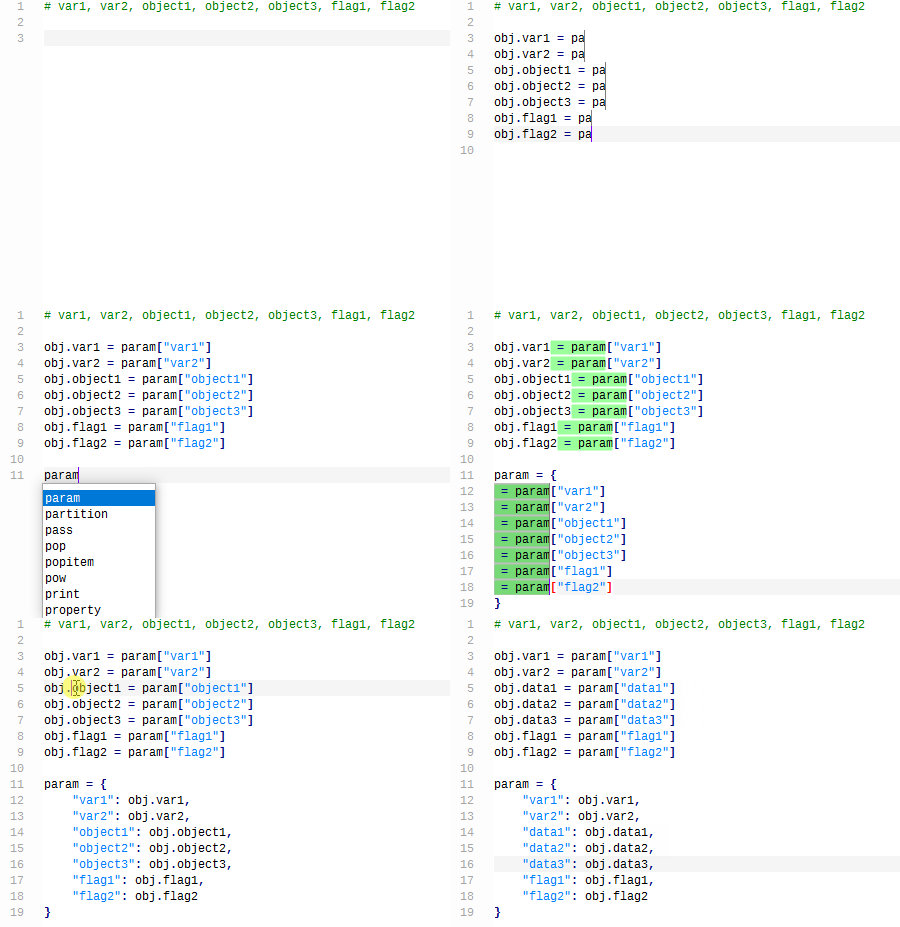
Multi-edit is the main feature of the Notepad++ Anniversary version. Here is a small demo to show what Notepad++ v8.6 is capable of:
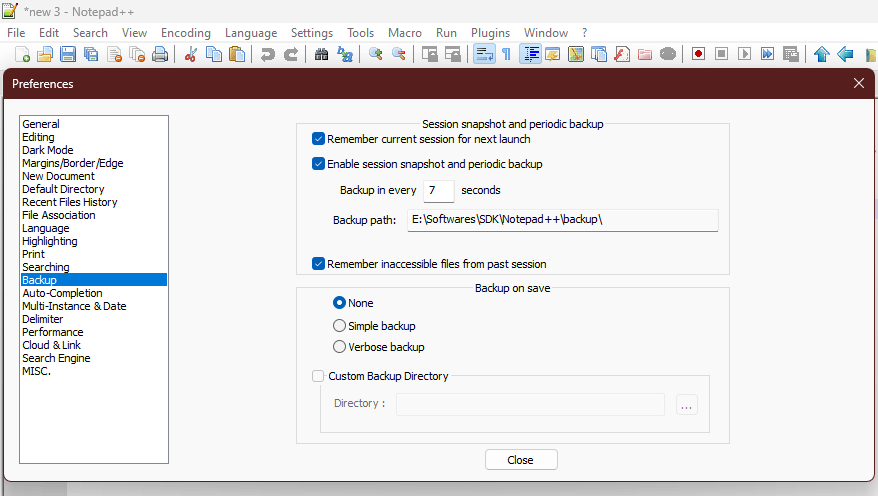
In this version, a highly requested feature has been added that allows the system to remember files that were inaccessible in previous sessions. This is achieved by using empty and read-only documents as placeholders. To enable this feature, go to the Backup section of the Preferences dialog and select the option ‘Remember inaccessible files from past session’.
Download Notepad++ v8.6: 20th-Year Anniversary
To get the latest Notepad++ v8.6 and discover its features, please check below links:
From Notepad++ :-
https://notepad-plus-plus.org/downloads/v8.6/
From GitHub :-
https://github.com/notepad-plus-plus/notepad-plus-plus/releases/tag/v8.6
Notepad++ v8.6 new features & bug-fixes:
- Multi-edit is fully supported in Notepad++. (Fix #14266, #8203)
- Make multi-select background & caret colours customizable. (Fix #14302)
- Make session inaccessible files remembered (empty & read-only document as placeholder). (Fix #12079, #12744, #13696)
- Fix missing session invalid error for user session & enhance API NPPM_GETNBSESSIONFILES. (Fix #14228)
- Fix network shared files saving regression. (Fix #14300)
- Update Scintilla to v5.3.8 & Lexilla to v5.2.8. (Fix #13442, #14188, #14288)
- Fix docking panel crash due to messing up config.xml. (Fix bug report
- Fix invalid styler.xml making Notepad++ crash issue. (Fix #12101)
- Fix tab-closing crash by middle mouse button (unexpected mouse position). (Fix #14328)
- Fix 2 performance issues in Style Configurator. (Fix #14321)
- Add 3 line operation (delete, copy & cut) shortcuts. (Fix #14296)
- Display extra info in the status bar of Find/Replace dialog to avoid PEBKAC. (Fix #14307)
- Fix “Hide lines” command hiding unselected lines issue. (Fix #14166)
- Fix silent installer mode when Notepad++ is running issue. (Fix #10189, #10277, #22514, #14236, fix partially #8514)
- Fix Updater’s vulnerability (update cURL in WinGUp for fixing CVE-2023-38545). (Fix WinGUp issue #50)
- Fix incoherent behaviour of “Duplicate Current Line” menu command. (Fix #5298)
- Fix JSON5 not using JSON keywords. (Fix #14205)
- Fix empty message showing while cancelling session file saving dialog. (Fix #14235)


Great information shared.. really enjoyed reading this post thank you author for sharing this post .. appreciated
Thank you !